Claude Code Setup & Best Practices
Complete guide to configure Claude Code with UniterRouter API. Setup Claude Code terminal agent, optimize token usage, reduce costs by 50%, and unlock multi-model access for AI coding assistance.
Claude Code is Anthropic's official agentic coding tool that runs directly in your terminal. It can understand your codebase, edit files, run commands, and help you build complex projects—all through natural conversation. By connecting Claude Code to UniterRouter, you gain access to multiple AI providers, unified billing, and significant cost savings.

Why Use UniterRouter with Claude Code?
| Feature | Direct Anthropic API | UniterRouter |
|---|---|---|
| Model Access | Claude only | Claude, GPT-4, Gemini, DeepSeek, 200+ models |
| Cost Savings | Standard pricing | Up to 50% with caching |
| Billing | Per-provider | Unified dashboard |
| Fallback | None | Automatic failover |
| Analytics | Basic | Detailed cost & token tracking |
Prerequisites
- Terminal access (macOS, Linux, or WSL on Windows)
- Node.js 18+ installed
- An UniterRouter API key (get one here)
Quick Setup
Install Claude Code
Install Claude Code globally using npm:
npm install -g @anthropic-ai/claude-codeOr using Homebrew on macOS:
brew install claude-codeConfigure UniterRouter API
Set your environment variables to route Claude Code through UniterRouter:
export ANTHROPIC_BASE_URL="https://api.uniterouter.ai"
export ANTHROPIC_API_KEY="your-uniterouter-api-key"$env:ANTHROPIC_BASE_URL = "https://api.uniterouter.ai"
$env:ANTHROPIC_API_KEY = "your-uniterouter-api-key"# Add to your shell config file
echo 'export ANTHROPIC_BASE_URL="https://api.uniterouter.ai"' >> ~/.zshrc
echo 'export ANTHROPIC_API_KEY="your-uniterouter-api-key"' >> ~/.zshrc
source ~/.zshrcVerify Installation
Test your setup by running:
claude-code --version
claude-code "Hello, can you see my current directory?"
If configured correctly, requests will be routed through UniterRouter.
View your API usage in real-time on the UniterRouter Dashboard.
Best Practices for Claude Code
1. Optimize Token Usage
Claude Code can consume significant tokens for large codebases. Here's how to optimize:
# Use .claudeignore to exclude unnecessary files
echo "node_modules/
dist/
*.log
.git/
coverage/
__pycache__/" > .claudeignore
Recommended .claudeignore patterns:
node_modules/,vendor/,venv/- Dependenciesdist/,build/,out/- Build outputs*.min.js,*.min.css- Minified files.git/,.svn/- Version control*.lock,package-lock.json- Lock files (optional)
2. Use Focused Context
Instead of letting Claude Code scan your entire project, provide specific context:
# Good: Specific file context
claude-code "Review the authentication logic in src/auth/login.ts"

# Avoid: Vague requests that scan everything
claude-code "Review my code"
3. Enable Response Caching
UniterRouter automatically caches identical requests. Structure your prompts consistently to maximize cache hits:
# These will cache efficiently
claude-code "Explain this function: $(cat src/utils/helper.ts)"
claude-code "Explain this function: $(cat src/utils/helper.ts)"  # Cache hit!
4. Leverage Model Routing
With UniterRouter, you can switch models based on task complexity:
# For simple tasks, use faster/cheaper models
export ANTHROPIC_MODEL="claude-3-5-haiku-latest"
claude-code "Format this JSON file"

# For complex reasoning, use powerful models
export ANTHROPIC_MODEL="claude-sonnet-4-20250514"
claude-code "Refactor this authentication system for better security"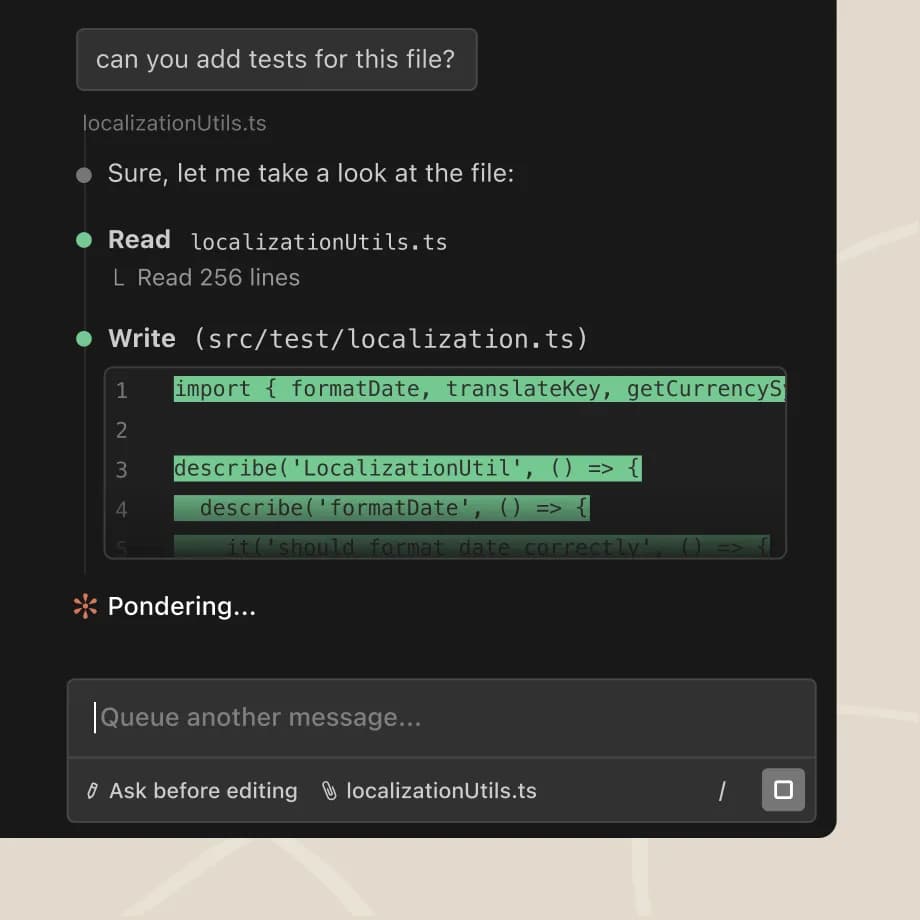
Advanced Configuration
Custom API Settings
Create a configuration file for persistent settings:
# ~/.claude-code/config.json
{
  "apiBaseUrl": "https://api.uniterouter.ai",
  "defaultModel": "claude-sonnet-4-20250514",
  "maxTokens": 8192,
  "temperature": 0.7
}
Project-Specific Configuration
Add a .claude-code.json to your project root:
{
  "model": "claude-sonnet-4-20250514",
  "systemPrompt": "You are a senior developer working on a Next.js e-commerce platform. Follow TypeScript best practices and ensure all code is type-safe.",
  "ignorePatterns": [
    "node_modules",
    "*.test.ts",
    ".env*"
  ]
}
Using Different Models for Different Tasks
UniterRouter allows you to access any model through the same endpoint:
| Task Type | Recommended Model | Why |
|---|---|---|
| Quick fixes | claude-3-5-haiku-latest | Fast, cost-effective |
| Code review | claude-sonnet-4-20250514 | Balanced quality/cost |
| Architecture | claude-opus-4-5-20251101 | Deep reasoning |
| Debugging | deepseek-reasoner | Strong logical analysis |
| Documentation | gpt-4o | Excellent writing |
Cost Optimization Tips
1. Monitor Usage
Check your spending in real-time:
# View current session costs (if supported)
claude-code --stats

# Or check the UniterRouter dashboard
open https://www.uniterouter.ai/dashboard
2. Set Spending Limits
Configure API key limits in UniterRouter to prevent unexpected costs:
- Go to Dashboard → API Keys
- Edit your API key
- Set daily/monthly spending limits
- Enable alerts for threshold notifications
3. Use Caching Strategically
UniterRouter's caching can reduce costs by up to 90% for repeated queries:
- Same code explanations → Cached
- Repeated formatting requests → Cached
- Common refactoring patterns → Cached
Troubleshooting
Connection Issues
# Test API connectivity
curl -X POST https://api.uniterouter.ai/v1/messages \
  -H "Content-Type: application/json" \
  -H "x-api-key: $ANTHROPIC_API_KEY" \
  -H "anthropic-version: 2023-06-01" \
  -d '{"model": "claude-sonnet-4-20250514", "max_tokens": 100, "messages": [{"role": "user", "content": "Hi"}]}'
Model Not Found
If you get a model not found error, check available models:
curl https://api.uniterouter.ai/v1/models \
  -H "Authorization: Bearer $ANTHROPIC_API_KEY"
Rate Limiting
UniterRouter handles rate limits automatically with intelligent retry logic. If you hit limits frequently, consider:
- Enabling caching (automatic)
- Using batch operations
- Upgrading your plan for higher limits
Need help? Join our Discord community for support and troubleshooting assistance.
Security Best Practices
Protect Your API Keys
# Never commit API keys
echo "ANTHROPIC_API_KEY=*" >> .gitignore

# Use environment variables or secret managers
# macOS Keychain
security add-generic-password -a "$USER" -s "uniterouter-api-key" -w "your-key"

# Retrieve it
export ANTHROPIC_API_KEY=$(security find-generic-password -a "$USER" -s "uniterouter-api-key" -w)
Use IAM Rules
Configure fine-grained access control in UniterRouter:
- Restrict models per API key
- Set rate limits
- Enable IP allowlists
- Configure spending caps
See API Keys & IAM Rules for detailed configuration.
Summary
Using Claude Code with UniterRouter gives you:
- Multi-model flexibility - Access Claude, GPT-4, Gemini, and more
- Cost savings - Up to 50% reduction with caching
- Unified billing - One dashboard for all AI spending
- Better reliability - Automatic failover between providers
- Enhanced security - IAM rules and spending controls
Start coding smarter today by getting your UniterRouter API key.
How is this guide?